
01
Press your shortcut
Start from the menu bar, a global hotkey, Fn/Globe, push-to-talk, hands-free mode, or an optional local voice trigger.
Your thoughts, straight into the apps you love. Press a shortcut, speak naturally, and let Murmurio do the typing. Private, on-device dictation. Exclusively for Mac.
macOS 14+ · Apple Silicon Free to start“hey Maya um Friday works for me let’s grab coffee at ten”
Your words land here
No new writing app to learn. Just a shortcut between your thoughts and the text field.
Start from the menu bar, a global hotkey, Fn/Globe, push-to-talk, hands-free mode, or an optional local voice trigger.
Murmurio records the session you started, shows a recording overlay, detects silence, and can prepare phrase chunks during longer dictation.
The transcript is copied to your clipboard and can be pasted automatically or manually with Command-V.
Thinking out loud doesn’t have to read like thinking out loud. Optional Grammar Assist helps with grammar, tone, and clarity—while you keep the final say.
hi team um the designs is ready i will send over the link this afternoon thanks
A little rough around the edges.Hi team! The designs are ready. I’ll send the link this afternoon. Thanks!
A clear update. Same message.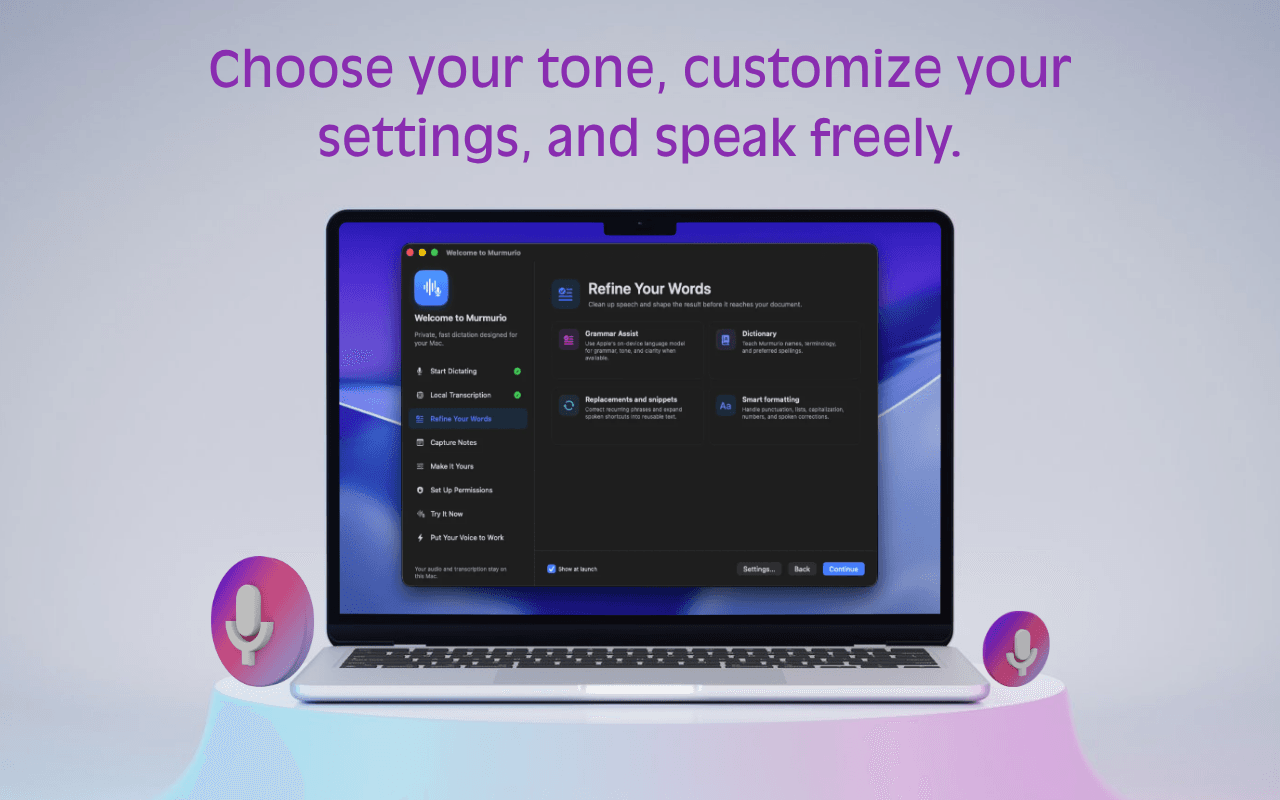
Pair Grammar Assist with your dictionary, text replacements, snippets, and formatting preferences. A more considered result, with fewer repetitive edits.
Make it sound like youYour Mac does the listening. Your Mac does the thinking. Bundled speech recognition and optional local writing assistance keep the work close to you.
Local processing. By design.FluidAudio CoreML models turn speech into text on your Mac. No first-launch speech-model download.
The foundation of every dictationUse Apple Foundation Models for grammar and clarity when available on your Mac. Availability depends on your system and settings.
Requires a supported Apple AI setupPrefer a model you manage? Connect Grammar Assist to a local Ollama model. Ollama and its model need to be set up separately.
An alternative engine for Grammar AssistYou can still dictate with Murmurio’s bundled speech models. Grammar Assist is optional, and its availability depends on your Mac and the engine you configure. The base app’s macOS 14+ requirement does not mean Apple’s writing models are available on every supported Mac.
Not every thought belongs in a text field. Give the ones worth keeping a little home of their own—right on your Mac.
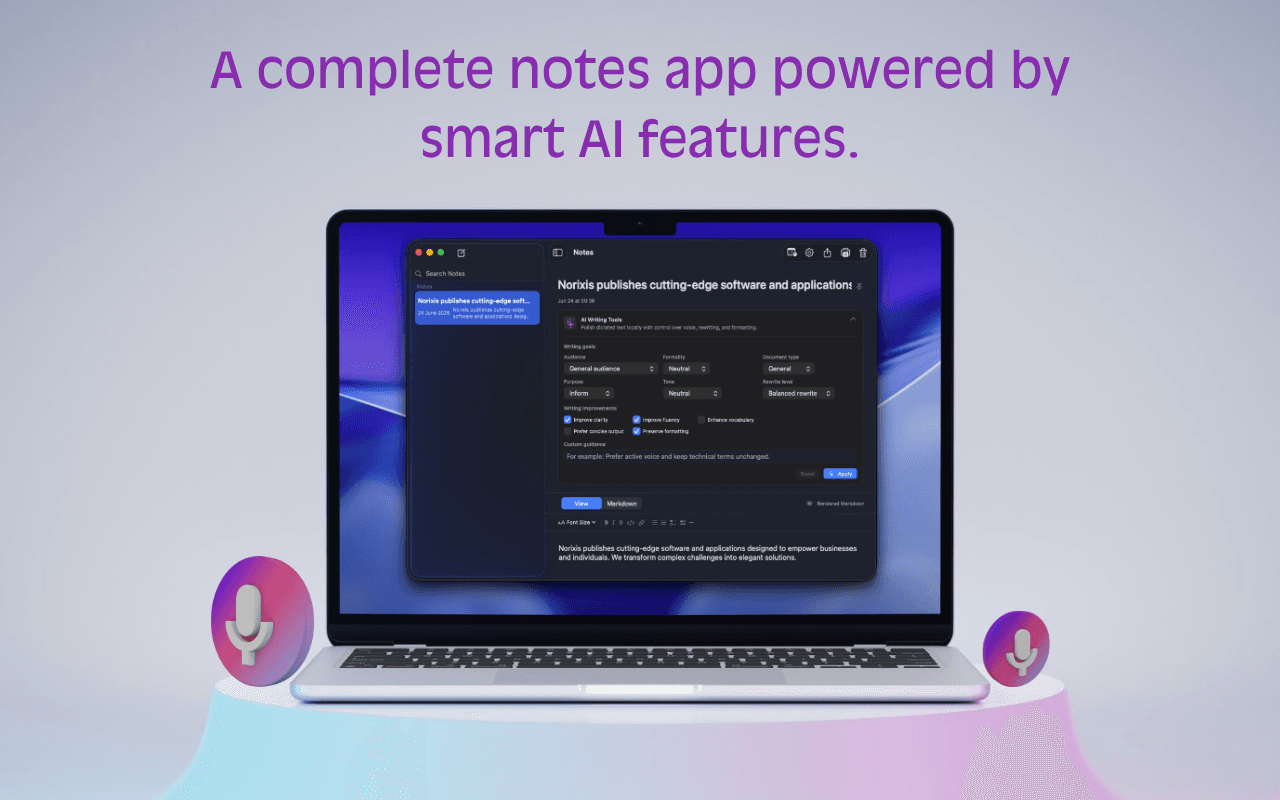
Dictate straight into a note with the dedicated Notes hotkey. No need to find an empty document.
Browse the sidebar, pin a keeper, and edit the title or body when the idea takes shape.
Use AI note tools for grammar, clarity, tone, and formality when Apple’s on-device AI is available.
Your team’s names. Your everyday phrases. The way you write. Set the details once and let them become part of your flow.
Add names, terminology, and preferred spellings to your dictionary.
Expand a spoken shortcut into reusable text with your own snippets.
Use replacements and cleanup preferences for the corrections you make again and again.
A quiet place in your menu bar.
A surprising amount under the hood.
Start from the app you’re in. Use a global shortcut, push-to-talk, or hands-free mode, then paste your transcript and keep going.
Your shortcut. Your rhythm.From the first rough sentence to the note you come back to, the useful little things are already here.
Start voice input from any app and choose the trigger style that fits how you work.
Turn rough speech into text that needs fewer corrections before you send or save it.
Record directly into Murmurio when the thought belongs in a note instead of another app.
Understand exactly what Murmurio needs from macOS and why.
Tune the small details that make dictation feel natural after the first day.
Murmurio transcribes with bundled on-device speech models. Grammar Assist can use Apple Foundation Models when available, or a local Ollama model you choose.
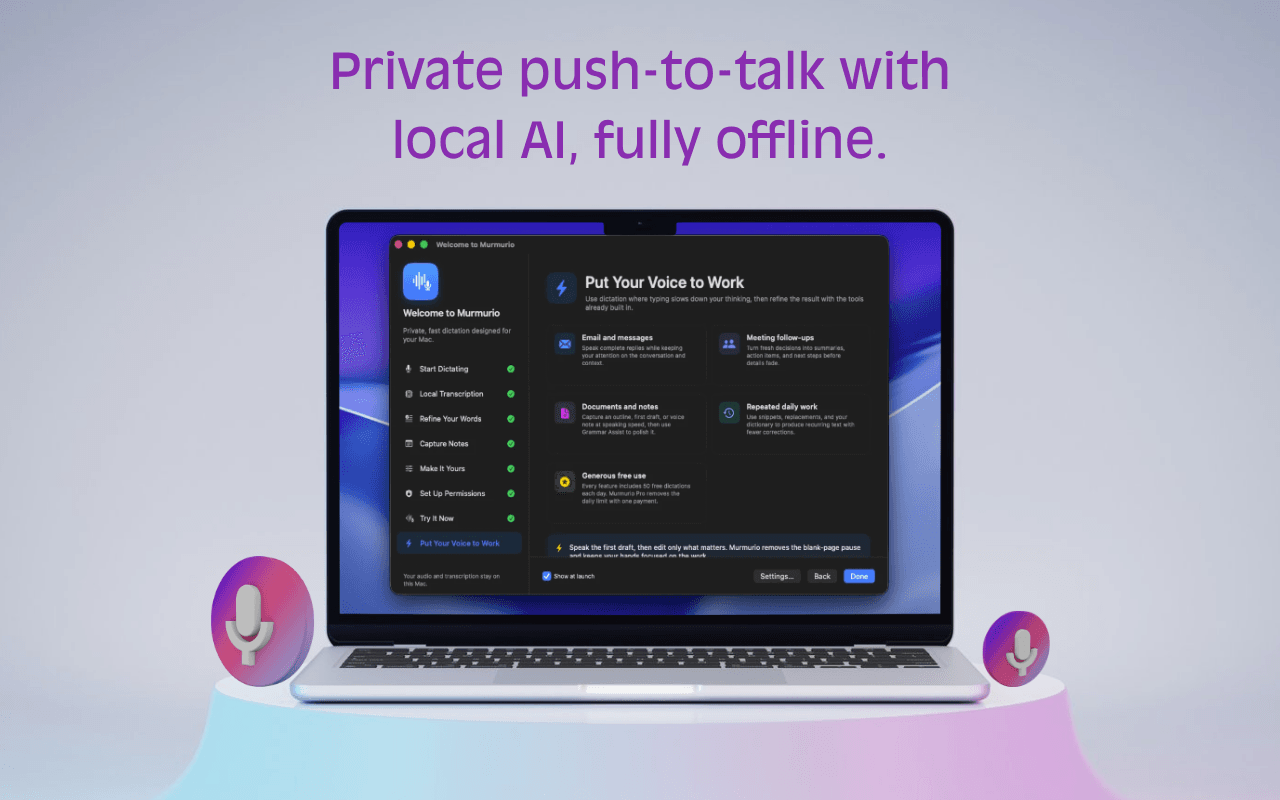 App screenshot shown in English.
Murmurio is developed exclusively for macOS and Apple Silicon to deliver the best performance, keyboard integration, menu-bar behavior, and system permission experience for Mac users.
Built for the way a Mac should feel.Free includes 50 daily dictations and up to 10 notes. One €19 lifetime payment unlocks Murmurio’s extended features—including unlimited dictation and notes—on up to three Macs.
€0Free to use
€19One payment. No subscription.
€19 lifetime · Up to three Macs
No hidden costs, subscriptions, or renewals. Secure checkout is provided by Link and Stripe as merchant of record.
If macOS asks for confirmation because Murmurio was downloaded from the web, open it from Finder and follow the system prompt. Permissions stay user-controlled in System Settings.
No. Speech recognition runs on device with bundled CoreML models. Optional Grammar Assist can use Apple on-device models or a local Ollama model.
Murmurio requires macOS 14 Sonoma or newer on Apple Silicon.
No. Murmurio is exclusive to macOS. It is developed as a native Mac app so performance, keyboard shortcuts, menu-bar behavior, permissions, and the writing experience can be tuned for Mac users.
Input Monitoring lets Murmurio detect your configured global shortcut across apps. It is not used to capture typed content.
Accessibility is used only for automatic paste. Without it, Murmurio still copies the transcript to the clipboard for manual paste.
Unzip Murmurio, move it to Applications, open it, then grant the permissions you want in System Settings.
No. Murmurio Pro is one €19 lifetime payment for extended features. There are no subscriptions, renewals, or hidden costs.
Start dictating where you already write.
Download Murmurio for macOS