
01
Pulsa tu atajo
Empieza desde la barra de menús, un atajo global, Fn/Globe, pulsar para hablar o el modo manos libres.
Pulsa un atajo, habla con naturalidad y Murmurio convierte tu voz en texto útil dentro de la aplicación que ya usas. Es una aplicación nativa para macOS, funciona localmente en Apple Silicon, no necesita una cuenta en la nube y te permite controlar el pegado, el historial y los permisos.
macOS 14+ · Apple Silicon Empieza gratis“hola Maya eh el viernes me viene bien tomamos un café a las diez”
Tus palabras aparecen aquí
Sin aprender otra app para escribir. Solo un atajo entre tus ideas y el campo de texto.
Empieza desde la barra de menús, un atajo global, Fn/Globe, pulsar para hablar o el modo manos libres.
Murmurio graba únicamente la sesión que inicias, muestra el estado de grabación y detecta las pausas.
La transcripción se copia al portapapeles y puede pegarse automática o manualmente.
Pensar en voz alta no tiene por qué leerse como un pensamiento en voz alta. La asistencia gramatical opcional te ayuda con la gramática, el tono y la claridad, y tú tienes la última palabra.
hola equipo eh los diseños está listo os enviaré el enlace esta tarde gracias
Todavía un poco por pulir.Hola, equipo. Los diseños están listos. Os enviaré el enlace esta tarde. ¡Gracias!
Una actualización clara. El mismo mensaje.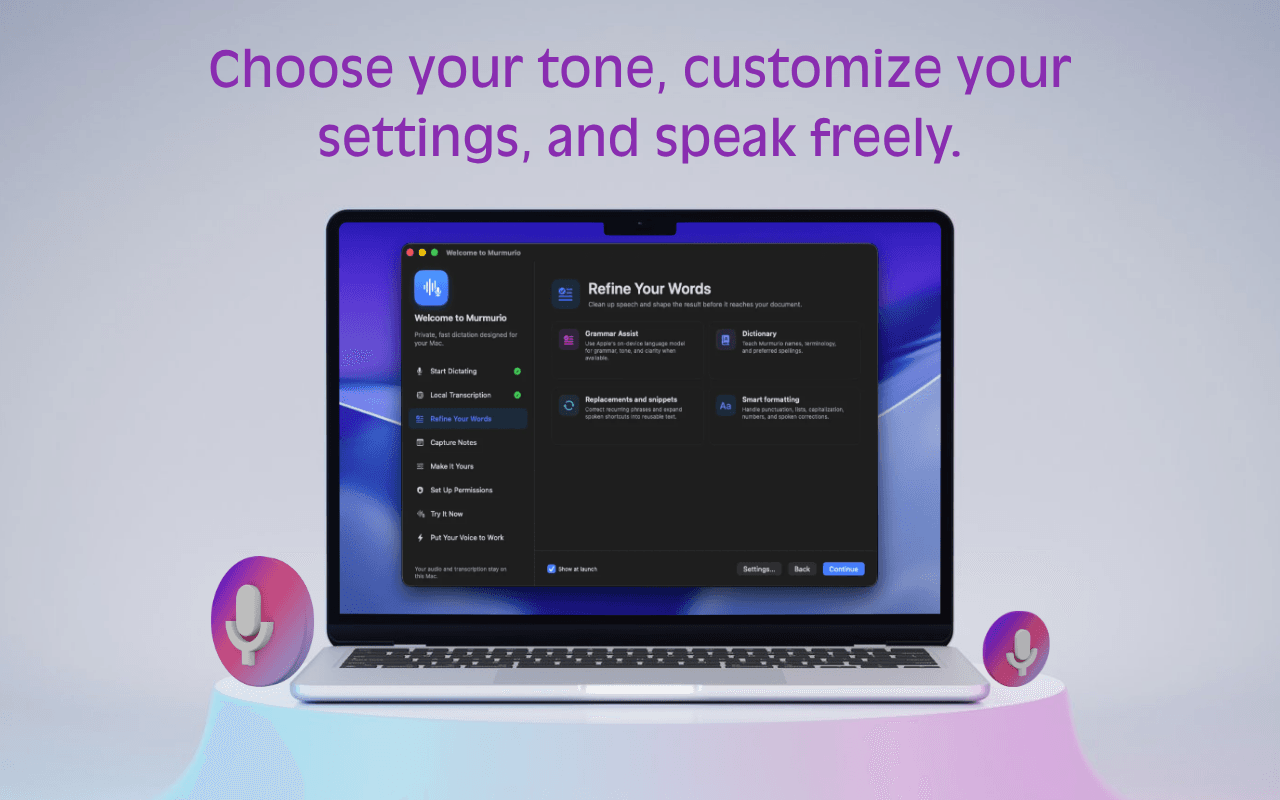
Combina la asistencia gramatical con tu diccionario, sustituciones de texto, fragmentos y preferencias de formato. Un resultado más cuidado, con menos correcciones repetitivas.
Haz que suene como túTu Mac escucha. Tu Mac piensa. El reconocimiento de voz integrado y la asistencia de escritura local opcional mantienen el trabajo cerca de ti.
Procesamiento local. Desde el diseño.Los modelos FluidAudio CoreML convierten la voz en texto en tu Mac. No hace falta descargar modelos de voz al abrir la app por primera vez.
La base de cada dictadoUsa Apple Foundation Models para mejorar la gramática y la claridad cuando estén disponibles en tu Mac. La disponibilidad depende del sistema y de la configuración.
Requiere una configuración compatible con la IA de Apple¿Prefieres gestionar tu propio modelo? Conecta la asistencia gramatical a un modelo local de Ollama. Ollama y su modelo deben configurarse por separado.
Un motor alternativo para la asistencia gramaticalPuedes seguir dictando con los modelos de voz integrados de Murmurio. La asistencia gramatical es opcional y su disponibilidad depende de tu Mac y del motor que configures. El requisito de macOS 14 o posterior de la app base no significa que los modelos de escritura de Apple estén disponibles en todos los Mac compatibles.
No todas las ideas pertenecen a un campo de texto. Dales a las que merece la pena guardar un lugar propio, en tu Mac.
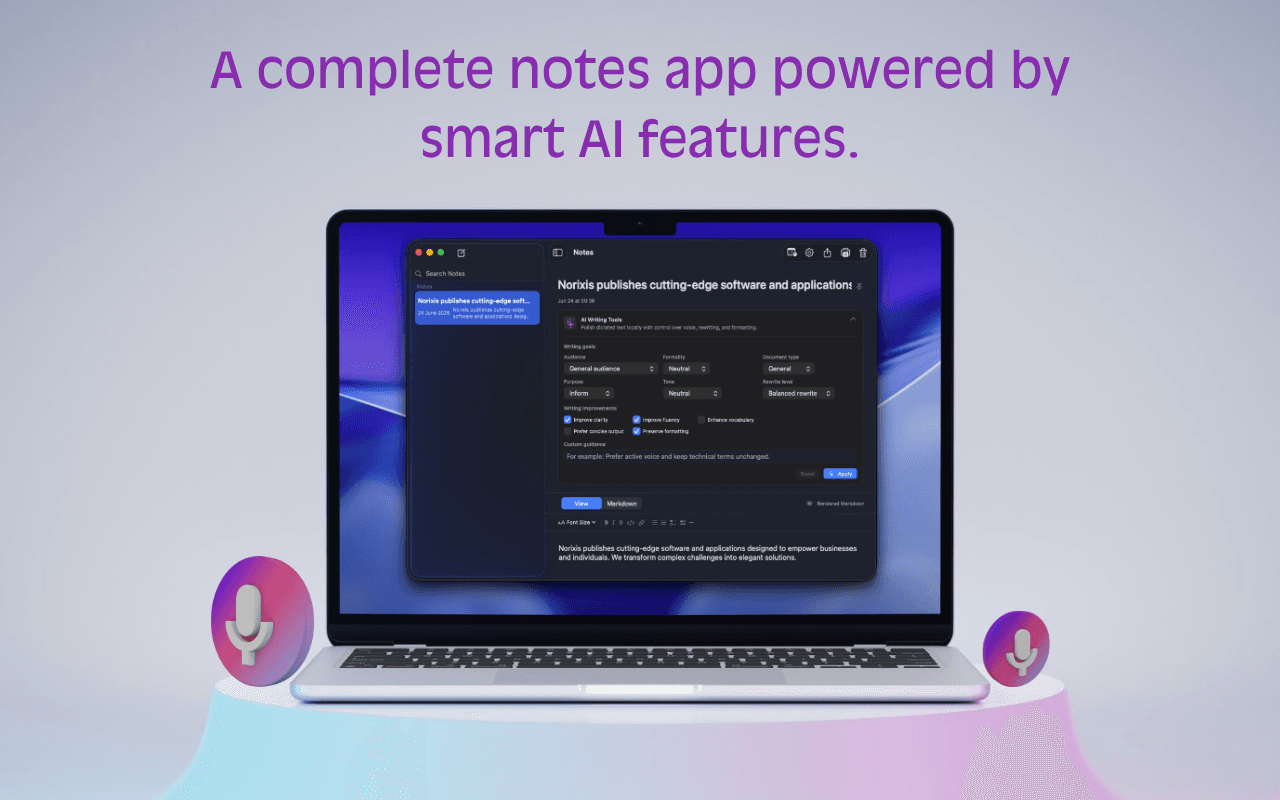
Dicta directamente en una nota con el atajo de teclado específico de Notas. No necesitas buscar un documento vacío.
Explora la barra lateral, fija una nota que quieras conservar y edita el título o el contenido cuando la idea tome forma.
Usa las herramientas de IA de las notas para mejorar la gramática, la claridad, el tono y la formalidad cuando la IA de Apple en el dispositivo esté disponible.
Los nombres de tu equipo. Tus expresiones habituales. Tu forma de escribir. Configura los detalles una vez y hazlos parte de tu día a día.
Añade nombres, terminología y grafías preferidas a tu diccionario.
Convierte un atajo hablado en texto reutilizable con tus propios fragmentos.
Usa sustituciones y preferencias de limpieza para las correcciones que haces una y otra vez.
Un lugar discreto en tu barra de menús.
Mucho más de lo que parece.
Empieza desde la app que estés usando. Utiliza un atajo global, mantén pulsado para hablar o usa el modo manos libres; después pega la transcripción y continúa.
Tu atajo. Tu ritmo.Las capturas muestran la interfaz en inglés.Desde la primera frase hasta la nota que retomas después, los pequeños detalles útiles ya están aquí.
Inicia la entrada de voz desde cualquier aplicación y elige cómo activarla según tu forma de trabajar.
Convierte el habla espontánea en texto que necesita menos correcciones antes de enviarlo o guardarlo.
Graba directamente en Murmurio cuando la idea corresponde a una nota en lugar de otra aplicación.
Entiende exactamente qué necesita Murmurio de macOS y por qué.
Ajusta los pequeños detalles para que dictar resulte natural a diario.
Murmurio transcribe con modelos de voz locales incluidos. La asistencia gramatical puede usar Apple Foundation Models cuando estén disponibles o un modelo local de Ollama que elijas.
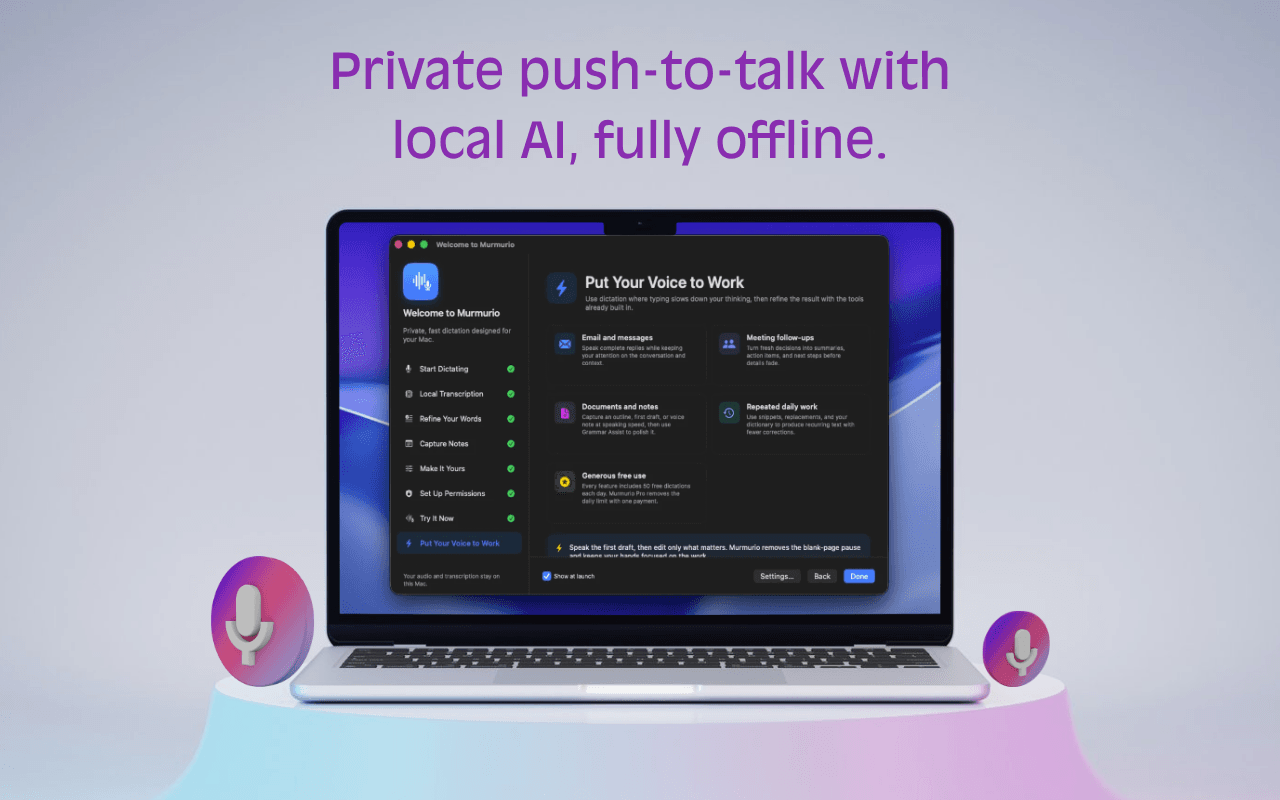 Captura de la app en inglés.
Murmurio se desarrolla exclusivamente para macOS y Apple Silicon, con rendimiento, atajos y permisos nativos.
Diseñado para sentirse como un Mac.Gratis incluye 50 dictados diarios y hasta 10 notas. Un pago único de 19 € desbloquea de por vida las funciones ampliadas de Murmurio Pro, incluidos dictados y notas ilimitados, en hasta tres Macs.
€0Uso gratuito
€19Un pago. Sin suscripción.
19 € de por vida · Hasta tres Macs
Sin costes ocultos, suscripciones ni renovaciones. Link y Stripe ofrecen el pago seguro como vendedor registrado (merchant of record).
Si macOS pide confirmación porque Murmurio se descargó de internet, ábrelo desde Finder y sigue las indicaciones del sistema. Tú controlas los permisos en Ajustes del Sistema.
No. El reconocimiento de voz se ejecuta en el dispositivo con modelos CoreML incluidos. La asistencia gramatical opcional puede usar modelos locales de Apple cuando estén disponibles o un modelo local de Ollama.
Murmurio requiere macOS 14 Sonoma o posterior en Apple Silicon.
No. Murmurio es exclusivo para macOS. Se desarrolla como aplicación nativa de Mac para adaptar el rendimiento, los atajos, la barra de menús, los permisos y la escritura a quienes usan Mac.
Permite que Murmurio detecte tu atajo global configurado entre aplicaciones. No se usa para capturar lo que escribes.
Accesibilidad solo se usa para el pegado automático. Sin ella, Murmurio sigue copiando la transcripción al portapapeles para pegarla manualmente.
Descomprime Murmurio, muévelo a Aplicaciones, ábrelo y concede los permisos que quieras en Ajustes del Sistema.
No. Murmurio Pro es un pago único de 19 € de por vida para funciones ampliadas. No hay suscripciones, renovaciones ni costes ocultos.
Empieza a dictar donde ya escribes.
Descargar Murmurio para macOS