
01
Premi la scorciatoia
Avvia dalla barra dei menu, da una scorciatoia globale, Fn/Globe, push-to-talk o modalità vivavoce.
Premi una scorciatoia, parla in modo naturale e Murmurio trasforma la tua voce in testo utilizzabile nell’app che già usi. È un’app nativa per macOS, funziona localmente su Apple Silicon, non richiede un account cloud e ti lascia controllare incolla, cronologia e permessi.
macOS 14+ · Apple Silicon Inizia gratis“ciao Maya eh venerdì mi va bene prendiamo un caffè alle dieci”
Le tue parole appaiono qui
Nessuna nuova app di scrittura da imparare. Solo una scorciatoia tra i tuoi pensieri e il campo di testo.
Avvia dalla barra dei menu, da una scorciatoia globale, Fn/Globe, push-to-talk o modalità vivavoce.
Murmurio registra solo la sessione avviata, mostra lo stato e rileva le pause.
La trascrizione viene copiata negli appunti e può essere incollata automaticamente o manualmente.
Pensare ad alta voce non significa dover scrivere nello stesso modo. L’assistenza grammaticale facoltativa aiuta con grammatica, tono e chiarezza, lasciando a te l’ultima parola.
ciao a tutti eh i progetti è pronto vi mando il link questo pomeriggio grazie
Ancora un po’ da rifinire.Ciao a tutti! I progetti sono pronti. Vi mando il link questo pomeriggio. Grazie!
Un aggiornamento chiaro. Lo stesso messaggio.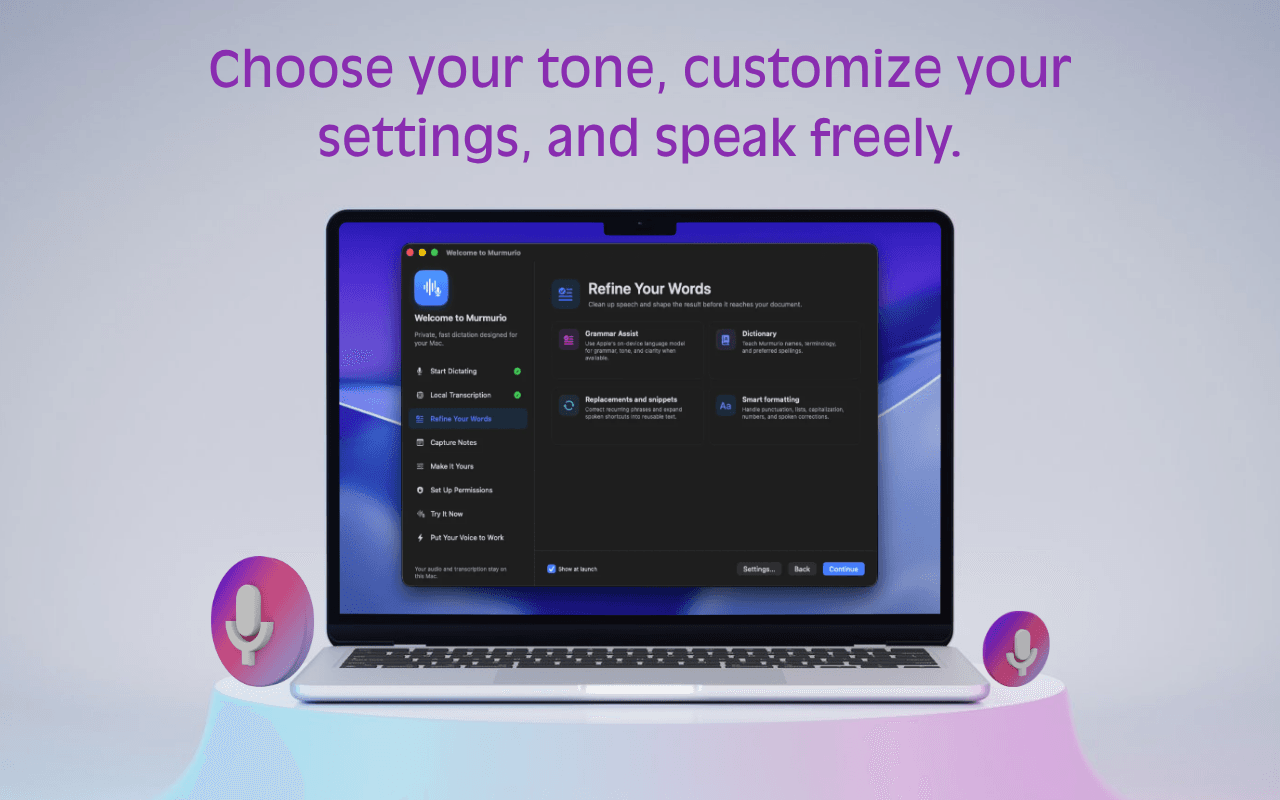
Abbina l’assistenza grammaticale al dizionario, alle sostituzioni di testo, ai frammenti e alle preferenze di formattazione. Un risultato più curato, con meno correzioni ripetitive.
Fallo suonare come teIl tuo Mac ascolta. Il tuo Mac pensa. Il riconoscimento vocale integrato e l’assistenza locale facoltativa alla scrittura mantengono il lavoro vicino a te.
Elaborazione locale. Fin dalla progettazione.I modelli FluidAudio CoreML trasformano la voce in testo sul tuo Mac. Nessun modello vocale da scaricare al primo avvio.
La base di ogni dettaturaUsa Apple Foundation Models per grammatica e chiarezza quando sono disponibili sul tuo Mac. La disponibilità dipende dal sistema e dalle impostazioni.
Richiede una configurazione compatibile con l’IA di ApplePreferisci gestire il tuo modello? Collega l’assistenza grammaticale a un modello Ollama locale. Ollama e il suo modello vanno configurati separatamente.
Un motore alternativo per l’assistenza grammaticalePuoi continuare a dettare con i modelli vocali integrati di Murmurio. L’assistenza grammaticale è facoltativa e la sua disponibilità dipende dal tuo Mac e dal motore configurato. Il requisito macOS 14 o successivo dell’app di base non significa che i modelli di scrittura Apple siano disponibili su tutti i Mac supportati.
Non tutti i pensieri appartengono a un campo di testo. Dai a quelli da conservare uno spazio tutto loro, sul tuo Mac.
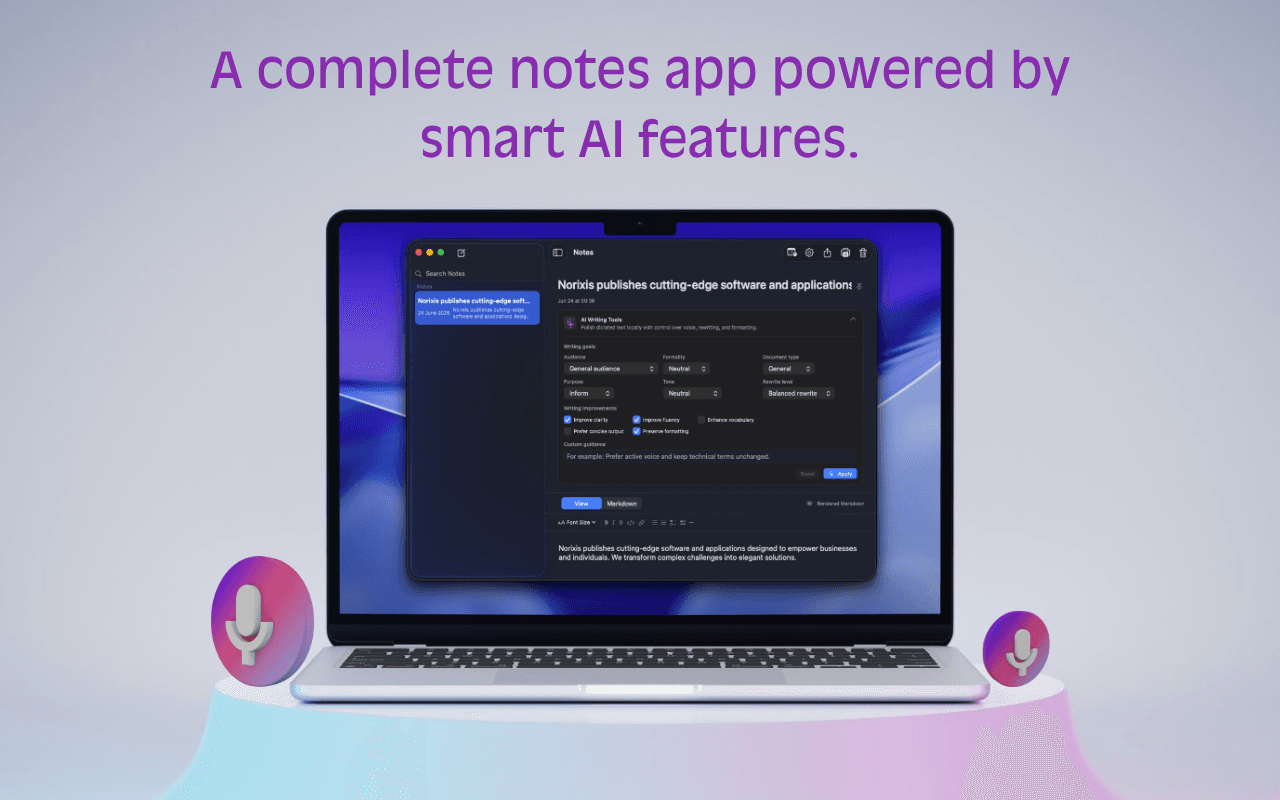
Detta direttamente in una nota con la scorciatoia da tastiera dedicata alle note. Non serve cercare un documento vuoto.
Sfoglia la barra laterale, fissa una nota da conservare e modifica titolo o contenuto quando l’idea prende forma.
Usa gli strumenti IA delle note per grammatica, chiarezza, tono e formalità quando l’IA di Apple sul dispositivo è disponibile.
I nomi del tuo team. Le tue espressioni quotidiane. Il tuo modo di scrivere. Imposta i dettagli una volta e rendili parte del tuo lavoro.
Aggiungi nomi, termini e grafie preferite al tuo dizionario.
Trasforma una scorciatoia vocale in testo riutilizzabile con i tuoi frammenti.
Usa sostituzioni e preferenze di pulizia per le correzioni che fai di continuo.
Un posto discreto nella barra dei menu.
Molto più di quanto sembri.
Inizia dall’app che stai usando. Usa una scorciatoia globale, tieni premuto per parlare o attiva la modalità a mani libere, poi incolla la trascrizione e continua.
La tua scorciatoia. Il tuo ritmo.Le schermate mostrano l’interfaccia in inglese.Dalla prima frase abbozzata alla nota che riprendi più tardi, i piccoli strumenti utili sono già qui.
Avvia l’input vocale da qualsiasi app e scegli l’attivazione adatta al tuo modo di lavorare.
Trasforma il parlato spontaneo in testo che richiede meno correzioni prima di inviarlo o salvarlo.
Registra direttamente in Murmurio quando un pensiero appartiene a una nota anziché a un’altra app.
Comprendi esattamente cosa serve a Murmurio da macOS e perché.
Regola i piccoli dettagli per una dettatura naturale anche nell’uso quotidiano.
Murmurio trascrive con modelli vocali locali inclusi. L’assistenza grammaticale può usare Apple Foundation Models quando disponibili o un modello Ollama locale a tua scelta.
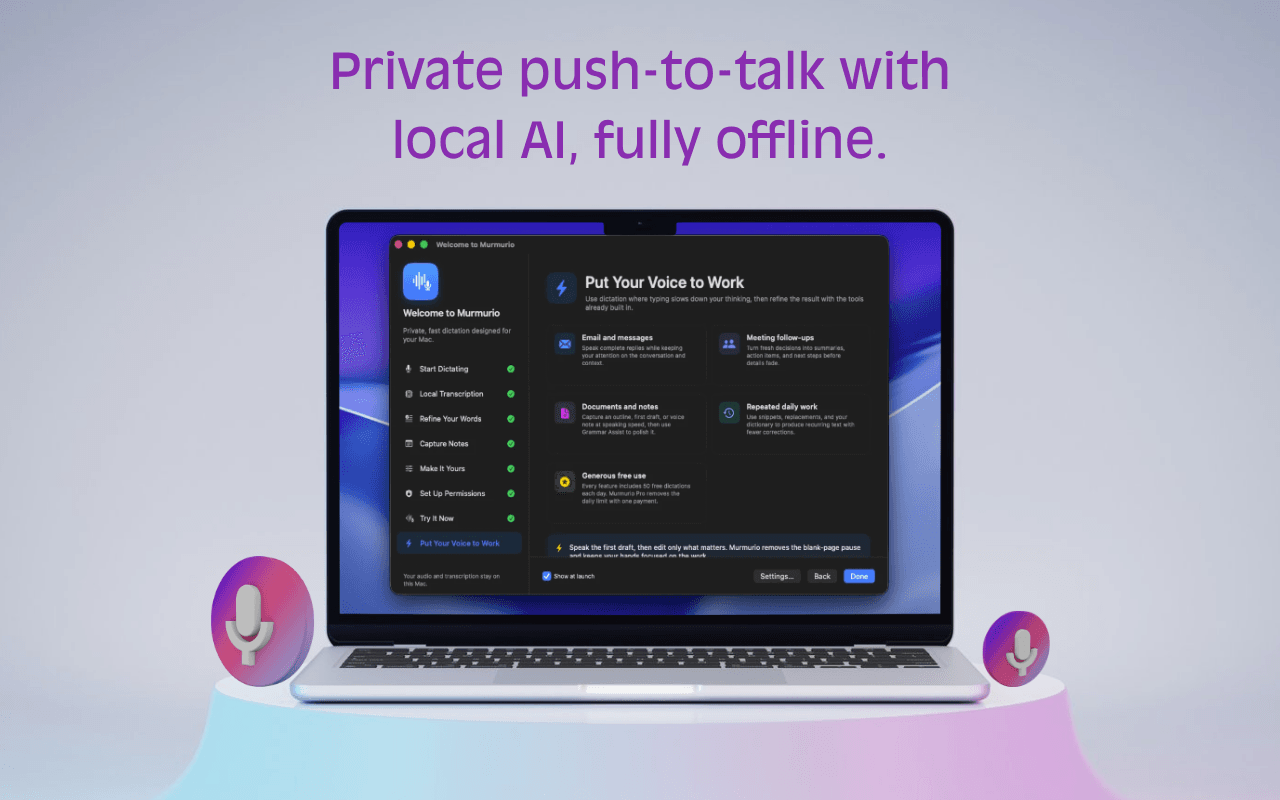 Schermata dell’app in inglese.
Murmurio è sviluppato esclusivamente per macOS e Apple Silicon, con prestazioni, scorciatoie e permessi nativi.
Progettato per offrirti l’esperienza che ti aspetti da un Mac.La versione gratuita include 50 dettature al giorno e fino a 10 note. Un solo pagamento di 19 € sblocca a vita le funzioni estese di Murmurio Pro, incluse dettatura e note illimitate, su un massimo di tre Mac.
€0Utilizzo gratuito
€19Un pagamento. Nessun abbonamento.
19 € a vita · Fino a tre Mac
Nessun costo nascosto, abbonamento o rinnovo. Il pagamento sicuro è fornito da Link e Stripe in qualità di venditore ufficiale (merchant of record).
Se macOS chiede conferma perché Murmurio è stato scaricato dal web, aprilo dal Finder e segui le indicazioni del sistema. I permessi restano sotto il tuo controllo in Impostazioni di Sistema.
No. Il riconoscimento vocale avviene sul dispositivo con i modelli CoreML inclusi. L’assistenza grammaticale facoltativa può usare modelli locali Apple quando disponibili o un modello Ollama locale.
Murmurio richiede macOS 14 Sonoma o successivo su Apple Silicon.
No. Murmurio è esclusivo per macOS. È sviluppato come app nativa per adattare prestazioni, scorciatoie, barra dei menu, permessi e scrittura a chi usa Mac.
Consente a Murmurio di rilevare la scorciatoia globale configurata tra le app. Non viene usato per acquisire ciò che digiti.
Viene usata solo per incollare automaticamente. Senza di essa, Murmurio copia comunque la trascrizione negli appunti per incollarla manualmente.
Decomprimi Murmurio, spostalo in Applicazioni, aprilo e concedi i permessi desiderati in Impostazioni di Sistema.
No. Murmurio Pro prevede un unico pagamento di 19 € per le funzioni estese a vita. Non ci sono abbonamenti, rinnovi o costi nascosti.
Inizia a dettare dove già scrivi.
Scarica Murmurio per macOS